A Floating Dock on a Mac
Published · 5 min read
Apple’s Dock sticks to an edge. The icons for every job live in that one strip. A floating dock is a short second strip that sits on the desktop where you are working. Apple’s Dock can stay on the bottom. The apps for the current task sit beside the window you are in.
What floating means on a Mac
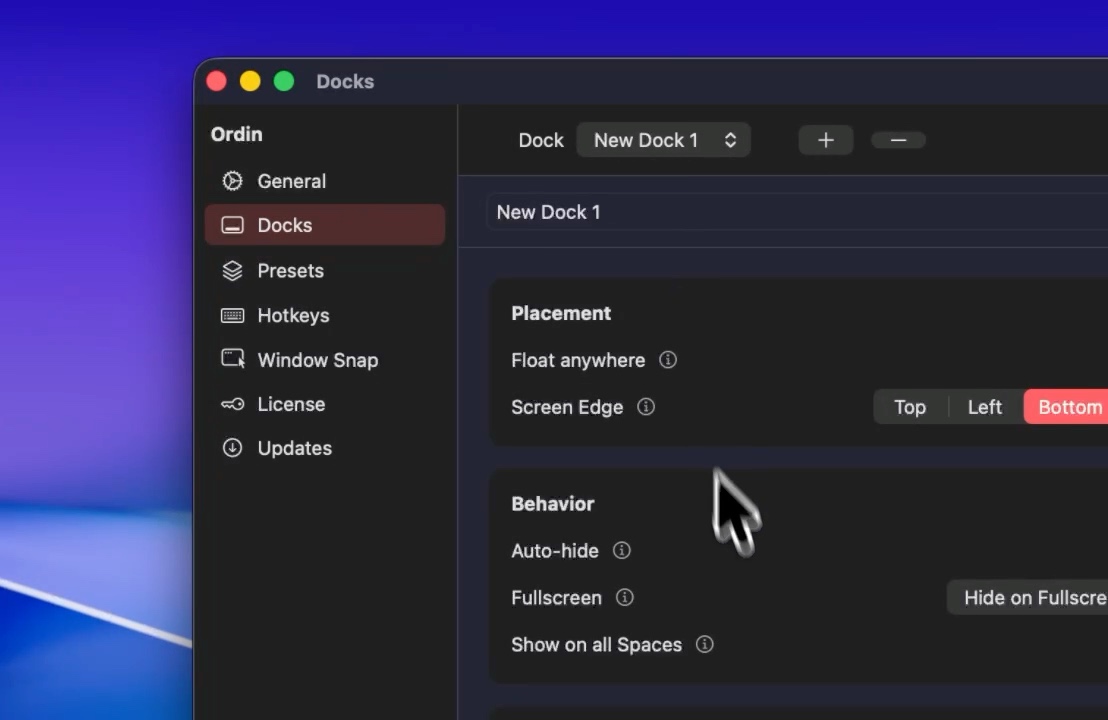
macOS places one Dock on the bottom, left, or right. Moving it does not create a second set of icons. A floating Ordin dock is a separate bar. You place it anywhere on the desktop. It can be horizontal or vertical. It has its own apps, icon size, and background. Hover an icon and you still get a live window preview, the same as on Apple’s Dock.
Floating is useful when the edge is already busy. A vertical strip on the side is better when you want the icons parked out of the middle of a wide display. That layout is a vertical dock on a Mac.
When to float instead of pin
- One job, one window. Writing, review, or a call. Keep three to six apps near that window. Leave the long Apple Dock alone.
- The edge is wrong. You already use a side strip for something else, or the bottom edge is where slides and video need room.
- A laptop with one screen. You cannot put a dock on a second monitor. A floating strip still separates the task apps from the system Dock.
On a desk with an external display, a dock pinned to that monitor is usually clearer than a floating one that drifts when windows move. The step-by-step for that desk is put a dock on your external monitor.
How to place a floating dock
The 2-day trial includes floating docks. No account.
- Download Ordin and drag it to Applications. macOS 13 or later, Apple silicon or Intel.
- Add a dock from the menu bar extra.
- Set placement to floating, then drag the dock where you want it on the desktop.
- Pin only the apps for that job. Keep the row short. Style size and Liquid Glass on that dock alone.
- If a fullscreen window covers it, turn on Hide on Fullscreen for that dock. The note for that behavior is hide the dock in fullscreen.
After the trial, two docks remain without a license. A larger set and presets need the $12.99 lifetime key for this Mac.
Put one floating dock next to the window you are in. 2-day trial, no account. $12.99 once if you keep it.
Download for MacOr pay $12.99 if you already know you want it.
Related: A vertical dock on a Mac · Hide the dock in fullscreen · Specialized docks for each task