Buy Ordin After the Free Trial: A 2-Day Checklist
Published · 6 min read
Ordin’s trial is two days, with no account. Use those days on the desk that already frustrates you. Pay $12.99 once for this Mac only if taking the extra dock away would annoy you. Walk away if Apple’s Dock already sits where you look.
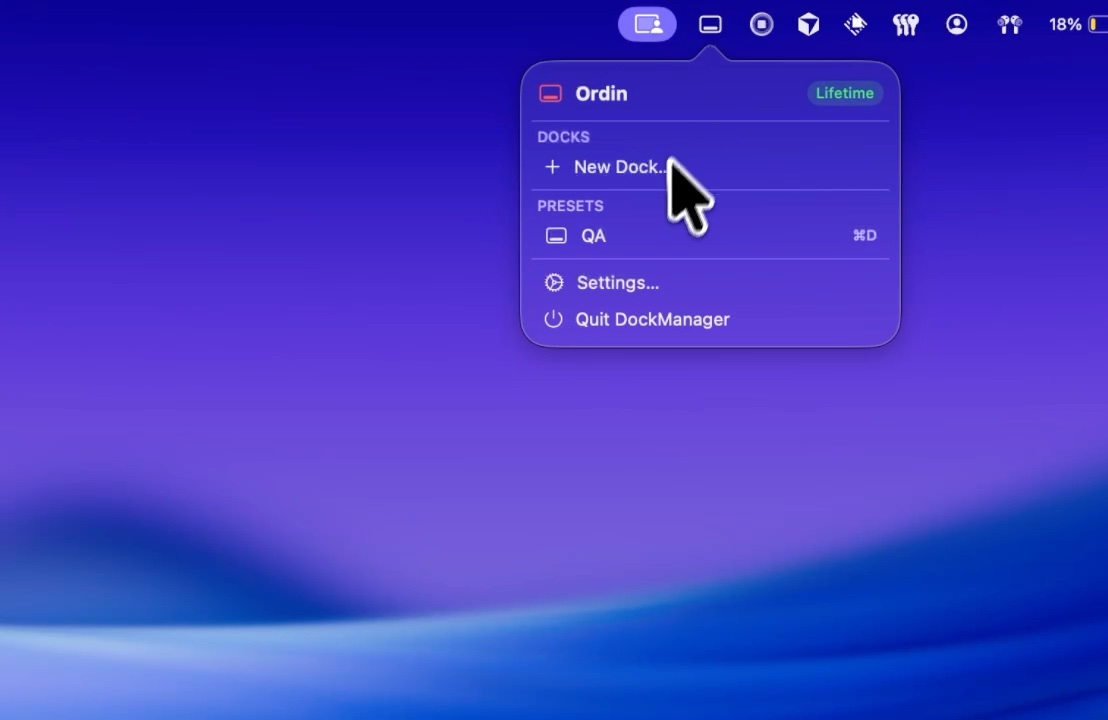
What you are deciding
You are not replacing Apple’s Dock. You are deciding whether a second strip, and the tools around it, earn a one-time license. The longer price argument is is a second Mac dock worth $12.99. This page is the trial checklist: what to prove before checkout.
The license is $12.99 once for one Mac, charged in US dollars. Checkout runs through Razorpay and asks for an email so the key can be delivered. Paste it into Settings → License. It is not a subscription.
Day 1: put one dock on the empty screen
Download Ordin and open Settings → Docks. Add one dock. Put it on the display that has no icons, or on the edge next to the window you live in.
- Laptop plus monitor. Leave Apple’s Dock on the MacBook. Pin the apps you open on the big screen to the Ordin dock. The walkthrough is a dock on the external monitor.
- One screen, two jobs. A short dock for the editor and terminal, another for calls. Do not fill either with every app on the Mac.
- Hover once. Grant Screen Recording if you want live window thumbnails. Hover the browser or the editor. If you still reach for Command-Tab the same number of times, previews are not earning their place.
If you have not wanted that strip by the end of day one, do not spend day two redesigning the whole Mac. Quit and leave the Dock alone.
Day 2: test the things the free docks will not keep
After the trial, without a license, two extra docks remain. Presets stop. The larger set and the advanced tools need the key. Day two is for the features you would miss if they turned off.
- A preset for each job. Save a coding layout and a meeting layout. Bind a hotkey if you have one. The switch is in presets and hotkeys.
- More than two docks. If the desk needs a third strip, the trial is the only free window to feel that. Two docks after the trial may be enough for a laptop plus one monitor.
- Fullscreen and auto-hide. Open the window that used to cover the Dock. Confirm Hide on Fullscreen or auto-hide behaves the way you present. That note is hide the dock when a window goes fullscreen.
Pay on the second day only if removing those pieces would put you back in the bottleneck you started with. If two free docks are the whole product for your desk, you can stop without buying.
Buy if this is true
- The external display had no launcher, and now it does.
- One row was doing two jobs, and a preset or a second dock fixed that.
- Hovering an icon and clicking the thumbnail replaced a Command-Tab hunt.
- You would keep more than two docks, or you need the layouts to switch with a key.
Skip the license if you use one screen and the Dock is already on it. Skip it if you wanted Apple’s Dock gone: Ordin leaves it in place. Apps that replace the Dock are a different purchase. The dated comparison is Ordin vs ExtraDock.
Skip it if the Mac is older than macOS 13. The disk image is the same for Apple silicon and Intel. The app’s own interface is English.
Questions
How long is the Ordin free trial?
Two days. No account. The download is on ordin.space.
What happens if I do not buy after the trial?
Two extra docks remain. Presets and the larger set need the $12.99 license for this Mac.
How much does Ordin cost?
$12.99 once for one Mac, in US dollars, through Razorpay. Not a subscription.
Should I buy Ordin after the free trial?
Buy if taking the extra dock away would annoy you. Skip it if Apple’s Dock already sits where you look. The fuller who-should-pay note is is a second dock worth $12.99.
Two days, no account. Prove the empty screen. Pay $12.99 once only if you would keep the docks.
Download for MacOr pay $12.99 if the trial already convinced you.
Related: Is a second dock worth $12.99? · A dock on the external monitor · Ordin vs ExtraDock