Save a Desk, Recall It With a Key
Published 23 September 2026
A preset is the set of docks you want visible for a job. Bind one to a shortcut—like ⌘D for a QA layout—and switch the whole desk from the menu bar without rearranging icons by hand.
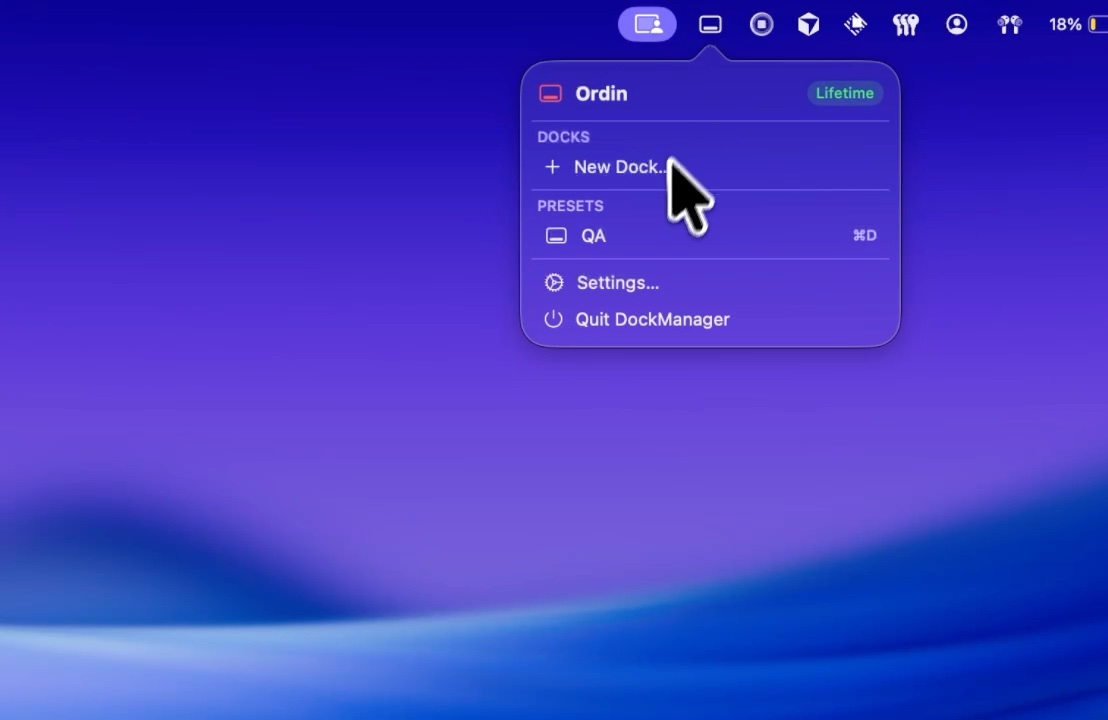
What a preset remembers
Presets capture which docks are shown, their screen placement, and the workspace identity you assigned. They are ideal when you move between contexts: deep coding, video calls, design review, or travel with only a laptop.
Ordin stores presets on your Mac. Switching is instant and does not send layout data to a server.
Example workflows
- Focus: Hide communication docks; show only build tools and references.
- Standup: Show calendar and chat docks on the secondary monitor.
- Dock / undock: One preset for three externals, one for café mode with a single floating dock.
Hotkeys are part of Ordin’s advanced features after the trial. Pair them with per-monitor docks so each preset feels like a different desk. If you want a dock per kind of work, not only per screen, the specialized docks guide builds a set of five to ten and shows how presets keep most of them hidden.
Presets, hotkeys, and unlimited docks unlock with a license after the 2-day trial.
Download for Mac